
Admin Guide
Introduction
Section titled “Introduction”Welcome to the admin guide, this is where we will discuss how to install and configure the ILC Shipworks Integration service.
Installation
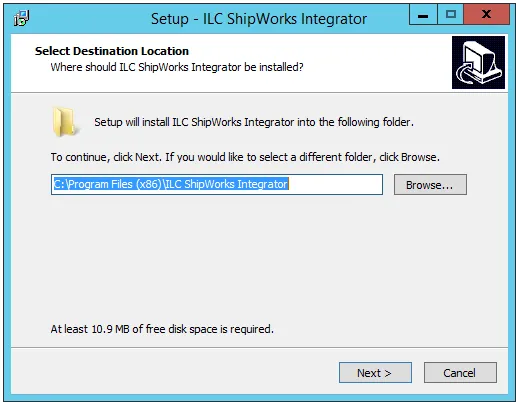
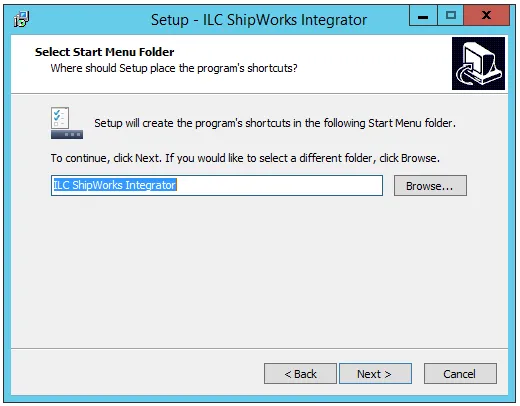
Section titled “Installation”The installer will ask what folder you’d like to install to, what name you’d like to see in the Start menu, asks if you’d like to add a desktop shortcut, and then allows you to review and confirm your selections.
 |  |
|---|
After installing the files it will prompt you to launch the integration, which will open the Admin Control Panel.
Configuration
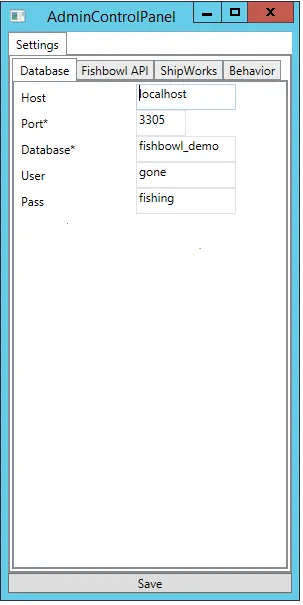
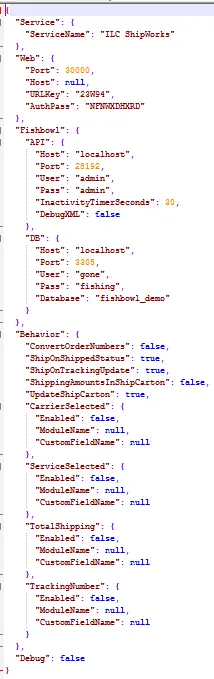
Section titled “Configuration”The Admin Control Panel is where you can configure the database, API server, integration, and behavior settings. All of these are also contained in the json config file, located in the installation path, if you’d like to edit them in a text editor.
 |  |
|---|
Once configuration is complete, click Save, then close the window.
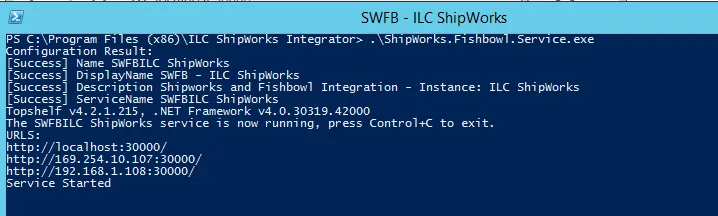
Navigate to the Installation folder: C:\Program Files (x86)\ILC ShipWorks Integrator, open a command prompt or powershell and run the ShipWorks.Fishbowl.Service.exe C:\Program Files (x86)\ILC ShipWorks Integrator>ShipWorks.Fishbowl.Service.exe
It should look something like this:
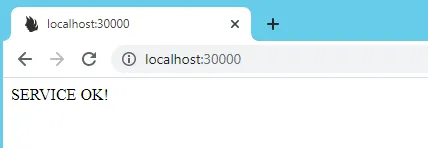
You can check the Service if it started correctly via the following URL:
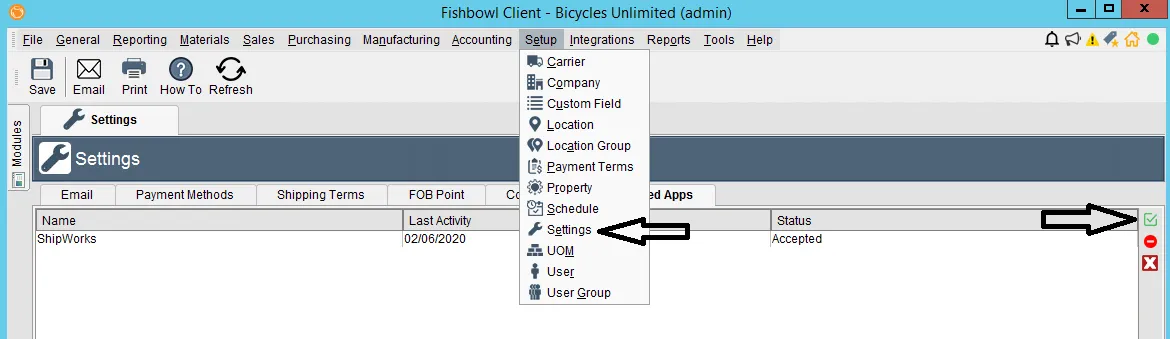
You will also need to check that the integration is confirmed and accepted under the Fishbowl Integrated Application, found under Setup->Settings->Integrated Apps in Fishbowl.
ShipWorks Configuration
Section titled “ShipWorks Configuration”Now you need to ensure ShipWorks is properly installed and licensed. A trial account can be used, but make sure to apply a license at a later date!
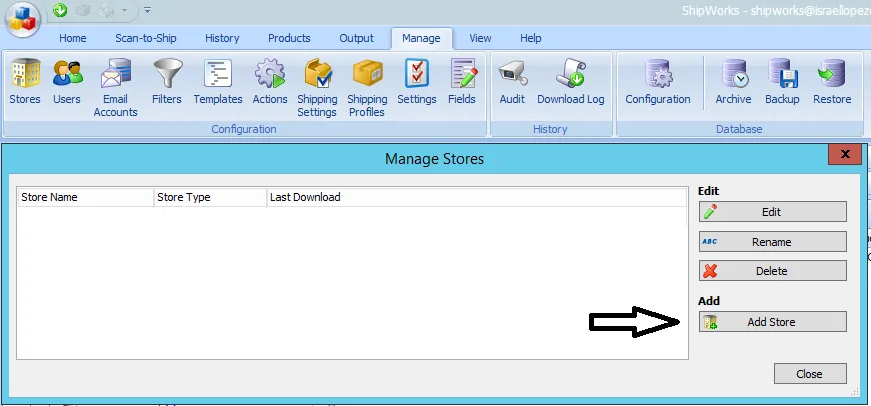
Launch ShipWorks, open the Manage tab, and click on Stores. This will open the Manage Stores popup dialogue. Click the Add Store button on the right-hand side and follow the initial setup process.
Select “Generic - Module” and click next.
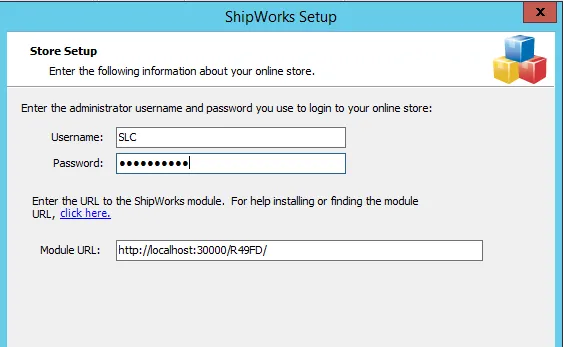
Enter the following data from the configuration file and click Next:
- Username: Fishbowl Location Group
- Password: AuthPass value
- Module URL: The full URL that is accessible from all ShipWorks clients. Enter the URL Key as shown:
Edit the store and contact information as needed.
At the end you will be presented with options on how far back to download orders. By default, the application will download only SHIPMENTS, not Sales Orders.
Always keep the “Upload the shipment tracking number” option checked.
Process a Sales Order into the Entered Status in Shipping for the order to appear in ShipWorks.
Download orders from Fishbowl into ShipWorks via the download button under the Home tab:

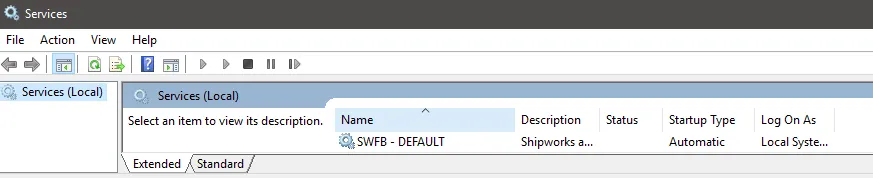
After you have verified that you can download orders, close the command prompt and start the service SWFB - DEFAULT in Windows:
Data Mapping
Section titled “Data Mapping”The SQL folder contains the queries used to pull Fishbowl data that is sent to ShipWorks. You can manually edit these queries to adjust the mapping, but be very careful and back up the original files so they can be reverted in case there are any syntax errors that may break the integration.
Order Header
Section titled “Order Header”The order header sql maps information about the overall shipment including Order Number, Carrier Settings, Shipping Address, and Custom Fields.
| ID | 73 |
|---|---|
| CARRIER | UPS-Ground |
| STATUSID | 30 |
| SHIPNUM | S50066 |
| ORDERNUM | 50066 |
| CUSTOMERPO | |
| CUSTOMERNUMBER | 138 |
| PHONE | 971-555-9876 |
| DATECREATED | 2/6/2020 |
| DATELASTMODIFIED | 2/6/2020 |
| DATESCHEDULED | 2/6/2020 |
| SUBTOTAL_AMT | 378 |
| TAX_AMT | 0 |
| SHIPPING_AMT | |
| AMZ_ORDERID | |
| AMZ_ISPRIME | |
| AMZ_ISFBA | |
| AMZ_ISSAMEDAY | |
| SHIPTONAME | Biker Net |
| SHIPTORES | FALSE |
| SHIPTOADDRESS | 456 Waterfall Cirlce |
| SHIPTOCITY | Portland |
| SHIPTOZIP | 97202 |
| SHIPTOSTATE | OR |
| SHIPTOCOUNTRY | UNITED STATES |
| SHIPTOCONTACT | Biker Net |
| BILLTONAME | Biker Net |
| BILLTOADDRESS | 456 Waterfall Cirlce |
| BILLTOCITY | Portland |
| BILLTOZIP | 97202 |
| BILLTOSTATE | OR |
| BILLTOCOUNTRY | UNITED STATES |
| BILLTOFAX | |
| BILLTOWEBSITE | |
| BILLTOEMAIL | |
| BILLTOPHONE | |
| NOTE | |
| CUSTOM3 | |
| CUSTOM4 | |
| CUSTOM5 | |
| CUSTOM6 | |
| CUSTOM7 | |
| CUSTOM8 | |
| CUSTOM9 | |
| CUSTOM10 |
Order Items
Section titled “Order Items”The order item sql contains mapping information for the line items of the shipment that are being sent to ShipWorks. This includes Product, Description, and Pricing information as well as Pack Dimensions, Weight, and Custom Field data.
| ITEMID | 207 |
|---|---|
| FBPRODUCTID | 35 |
| PRODUCTID | BB2001 |
| CODE | BB2001 |
| SKU | |
| DESCRIPTION | Mountain Bike |
| QUANTITY | 1 |
| UNITPRICE | 378 |
| UNITCOST | 268.1909446 |
| WEIGHT | 18 |
| LOCATION | 0 |
| ISBN | |
| VENDORPARTNUM | BB2001 |
| CUSTOM1 | |
| CUSTOM2 | |
| CUSTOM3 | |
| CUSTOM4 | |
| CUSTOM5 | |
| CUSTOM6 | |
| CUSTOM7 | |
| CUSTOM8 | |
| CUSTOM9 | |
| CUSTOM10 | |
| LENGTH | 0 |
| WIDTH | 0 |
| HEIGHT | 0 |
| AMZ_ITEMCODE |