
Logs
The Logs tab is the audit trail of everything ILC MCP did. It has three logs, each on its own sub-tab. All three share a time window (default last 7 days) and a text filter, and show the most recent entries when there are many.
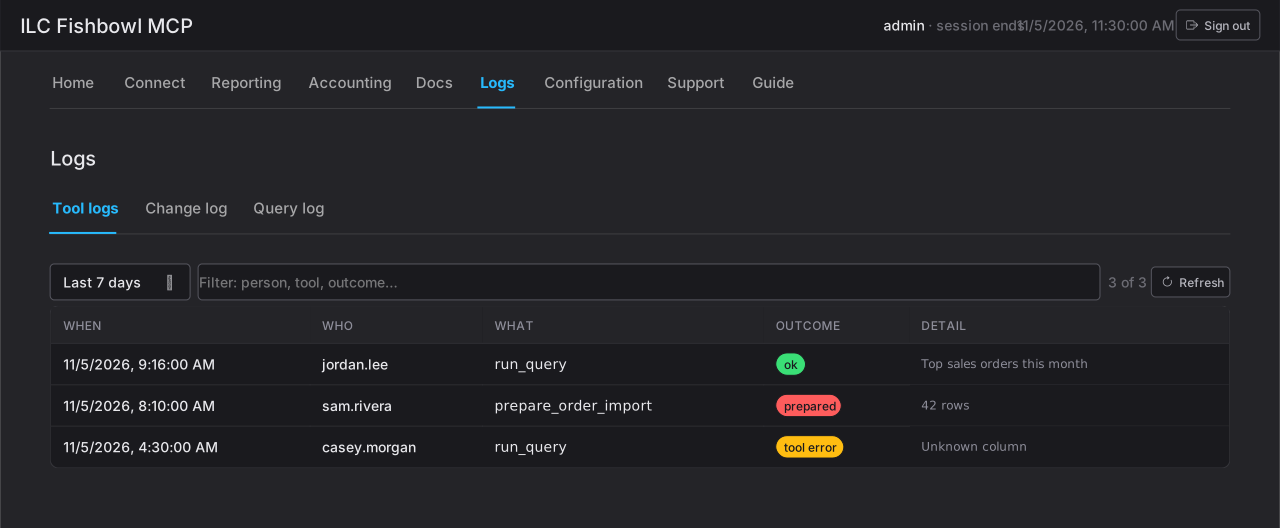
Tool logs
Section titled “Tool logs”Every tool an AI client called, whether it read, wrote, or was refused. Each row shows when, who (the Fishbowl user), what (the tool), the outcome, and a detail line. This is the widest view — use it to see all activity, including reads and refusals, not just changes.
Change log
Section titled “Change log”Only the actions that wrote to Fishbowl. Same shape as the tool log — when, who, what, outcome — with the target of each change. This is the log to scan when you need to answer “what did ILC MCP change, and who approved it?”
Turning off a protection option, changing the plan, and other configuration changes are recorded here too.
Query log
Section titled “Query log”The reads — every sql_query and run_query call. Unlike the other two, it’s
grouped by question: each row is one question (a correlation key) with its
attempt count and last outcome, so a query the AI retried a few times reads
as one line, not several.
Open a question to see every attempt in full:
- the intent and a change summary;
- the SQL as sent and, if the guard rewrote it, the SQL as run;
- any parameters, the row count (and whether it was truncated), and the elapsed time;
- the client and token it came from, and any error or the guard rule that refused it.
This is the log for understanding exactly what a connected AI asked the database and what came back.