
Getting started
CloudPages adds live HTML and JavaScript Pages — reports and tools that read Fishbowl data directly — to the Fishbowl Advanced client. This page takes you from nothing to running Pages.
What you need
Section titled “What you need”- The CloudPages license and plugin from ILC — see Installation.
- A source of Pages: an ILC-hosted repository, your own Git repository, or the built-in demos.
1. Install the plugin
Section titled “1. Install the plugin”Install the plugin once per workstation, then restart the Fishbowl client. See Installation.
2. Open CloudPages
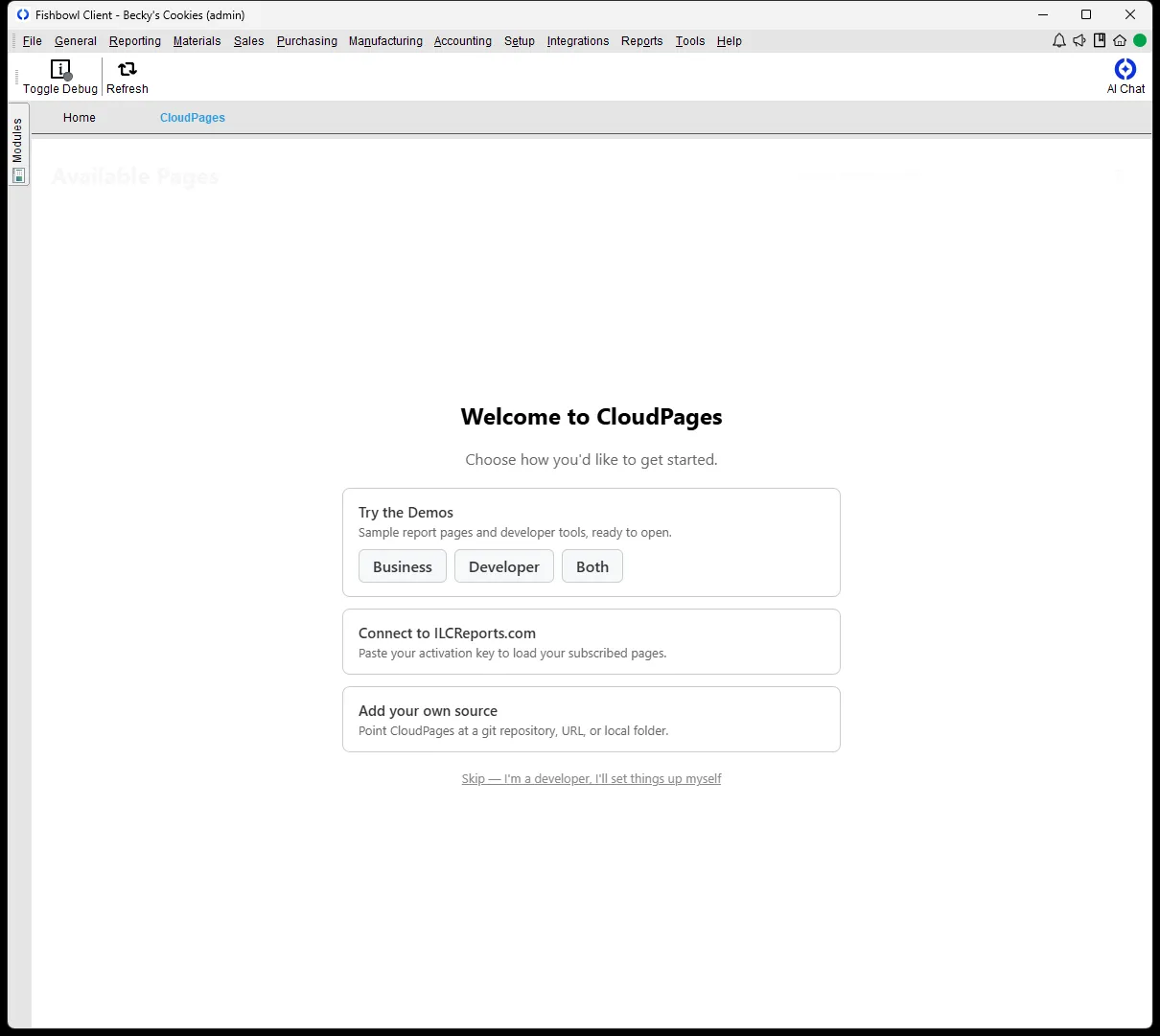
Section titled “2. Open CloudPages”Select Reporting → CloudPages. When the module has no Pages yet, it opens on the Welcome screen.
3. Load Pages
Section titled “3. Load Pages”Pick a starting point:
- Try the Demos — load sample report and developer Pages right away. The fastest way to see CloudPages work.
- Connect to ILCReports.com — paste an activation key to load the Pages you subscribe to.
- Add your own source — point CloudPages at a Git repository, a URL, or a local folder. See Configuration.
4. Open a Page
Section titled “4. Open a Page”Pages you can access appear in the Available Pages list. Select Open to run one. See Using Pages for day-to-day tasks.
Build your own
Section titled “Build your own”To author Pages — HTML files that read Fishbowl data through the fb_client
bridge — see Building Pages and the
Page metadata reference.