
Plan
The Plan panel (titled Plan and features in the console) shows the tier your Fishbowl is on and the features it includes. The plan is the outermost ceiling: a feature that isn’t in your plan has no tools, so nothing an operator does — and no grant or token — can reach it.
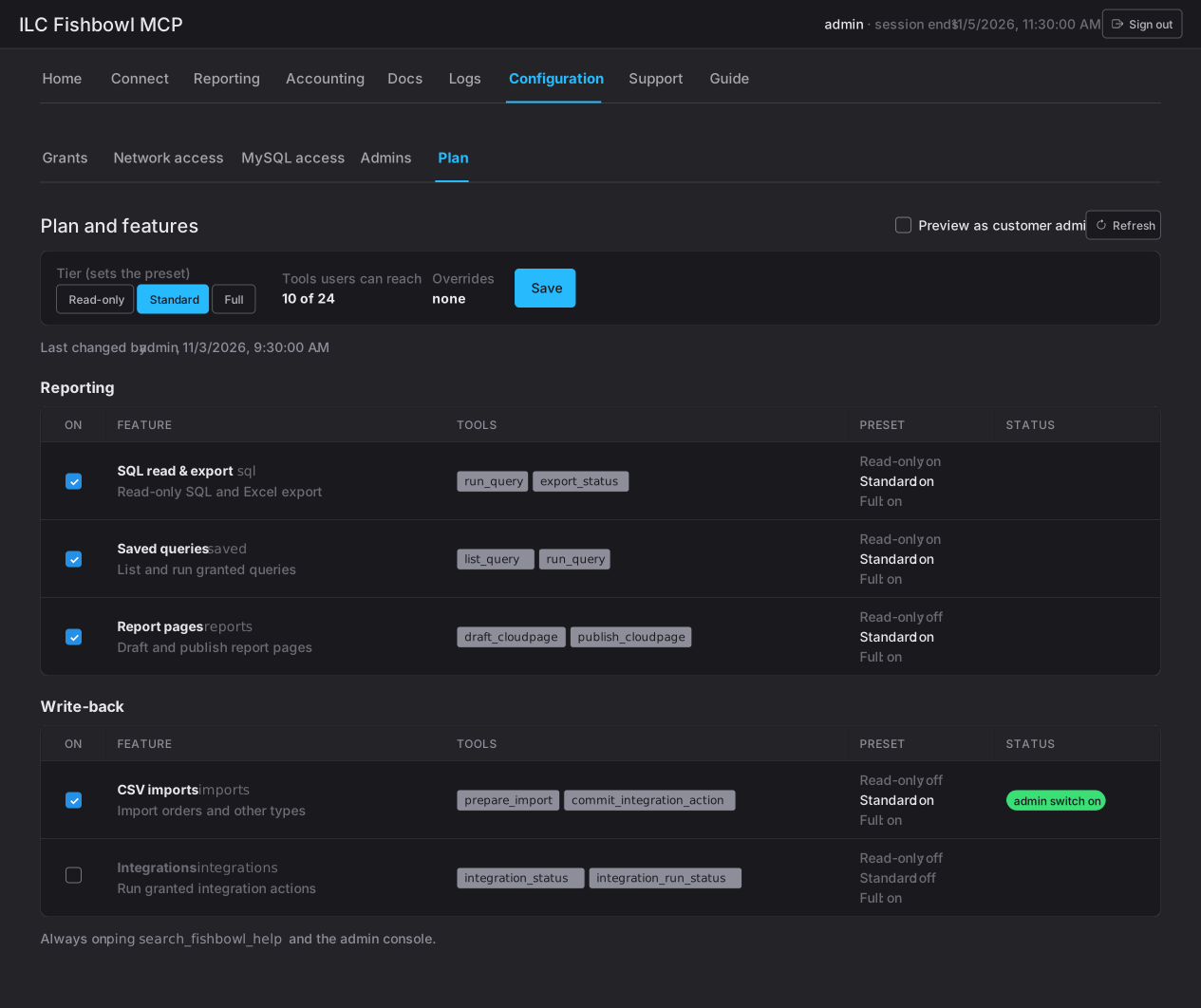
Tier and features
Section titled “Tier and features”- Tier sets the baseline — read-only or read-write — which decides the default (preset) on/off state of each feature.
- Features are grouped, and each lists the tools it exposes. A feature that’s on makes its tools reachable; a feature that’s off hides them for every user (nothing is deleted).
- The header shows how many tools users can reach out of the total, so you can see the plan’s reach at a glance.
A set of core tools and the admin console itself are always on, regardless of tier.
Who changes what
Section titled “Who changes what”Which features your Fishbowl has is set by ILC — contact ILC to add one. Within the features you have, your administrators decide who gets what, using Grants and the per-feature switches. So the plan rarely changes; grants and switches are the day-to-day controls.
Where an administrator can adjust features, a change:
- can be an override of the tier’s preset (shown with an override badge), which you can reset back to the preset;
- applies within a minute and is audited (last changed by whom, and when);
- may show needs setup if a feature is on but something it depends on isn’t configured yet.