
Reporting
The Reporting tab is where you manage everything an AI client builds to read Fishbowl: saved queries, report layouts, live pages, and the screens that show them. Each kind has its own panel.
In this section
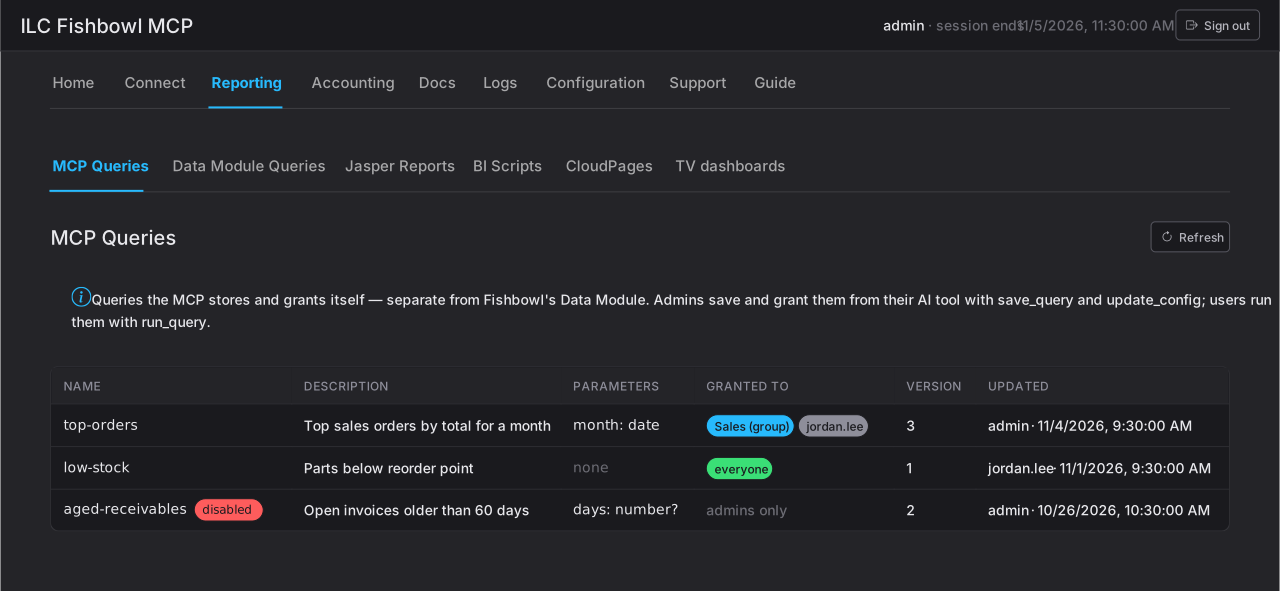
Section titled “In this section”- MCP Queries — the saved queries operators can run by name.
- Data Module Queries — queries published into Fishbowl’s Data module.
- Jasper Reports — installed printable report layouts.
- BI Scripts — reports installed in Fishbowl’s BI module.
- CloudPages — published live pages.
- TV dashboards — published dashboards and the TV devices that display them.
How managing reports works
Section titled “How managing reports works”Operators build and install every report from their AI client; this tab is where you oversee and manage what they installed. Across all six panels the pattern is the same:
- You see only what ILC MCP installed — never your stock Fishbowl reports.
- Installed reports, pages, and dashboards are versioned, so a change can be rolled back to an earlier version (re-installed as a new version; nothing is deleted).
- MCP Queries and Data Module Queries add a grant step — who may run each (everyone, a group, named users, or admins only).
The operator’s side of reporting is in the User guide under Reporting.